Phone or tablet
Save the PDF to Files or Downloads. Open Acrobat Reader, find your saved file, and try a chapter tab. Pinch to zoom into one column when reading a recipe.
How to use
From the download to your first recipe, follow along with the actual pages you’ll see in the book.
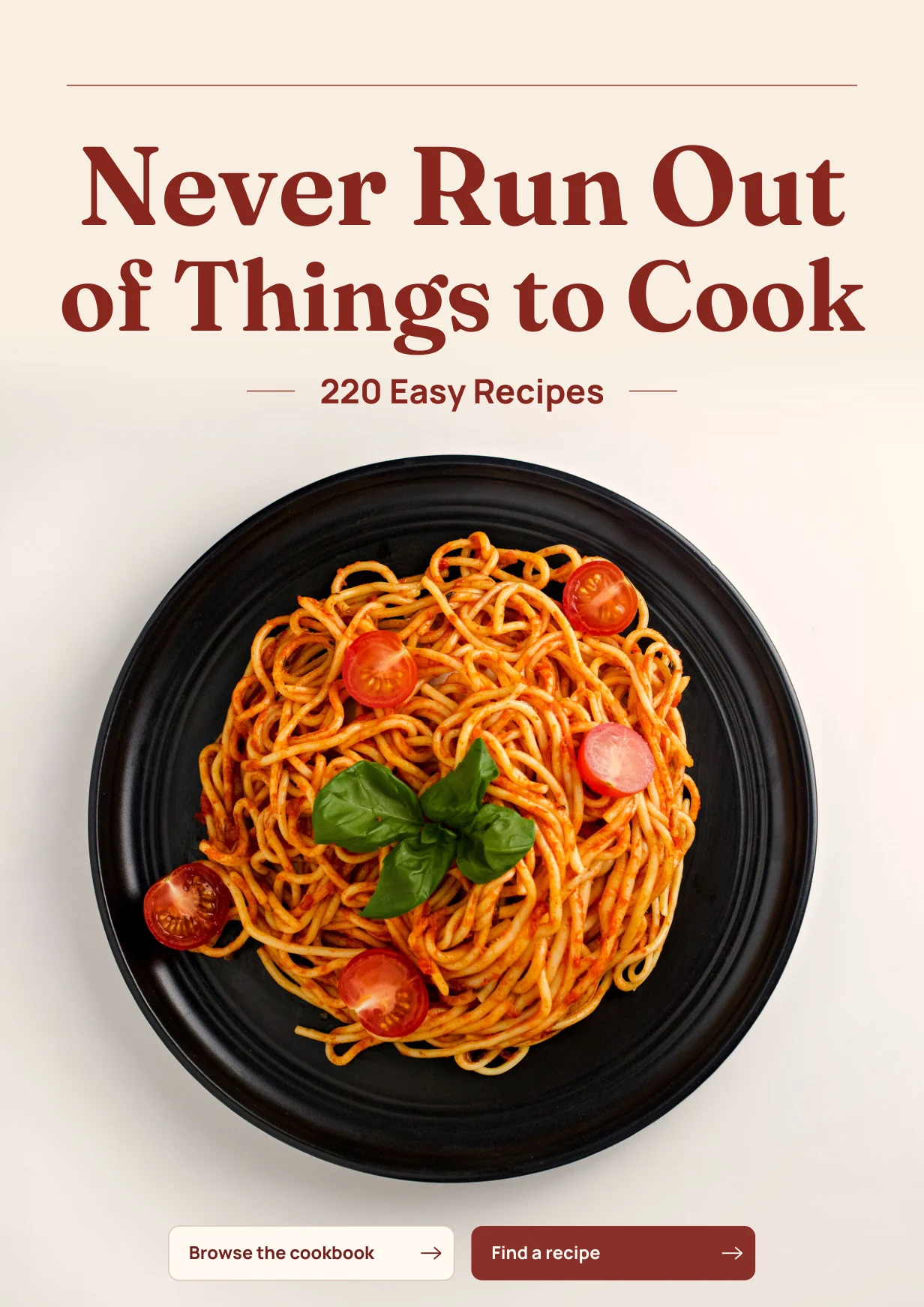
Download the PDF from the page shown after payment, or use the link in your order email. Save the file to your device, then open it in a PDF reader that follows internal links. On the cover, tap Browse the cookbook to open the menu.
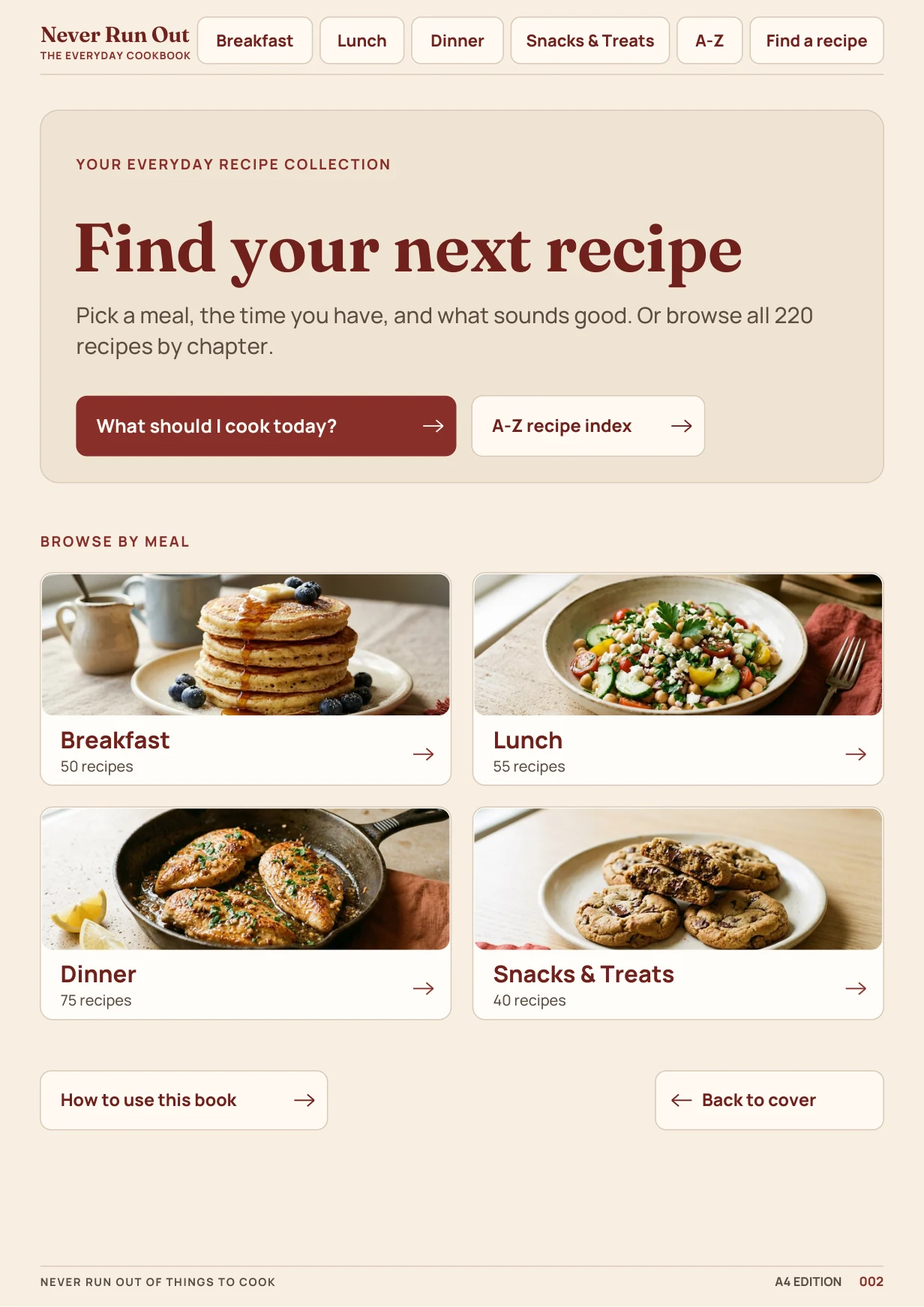
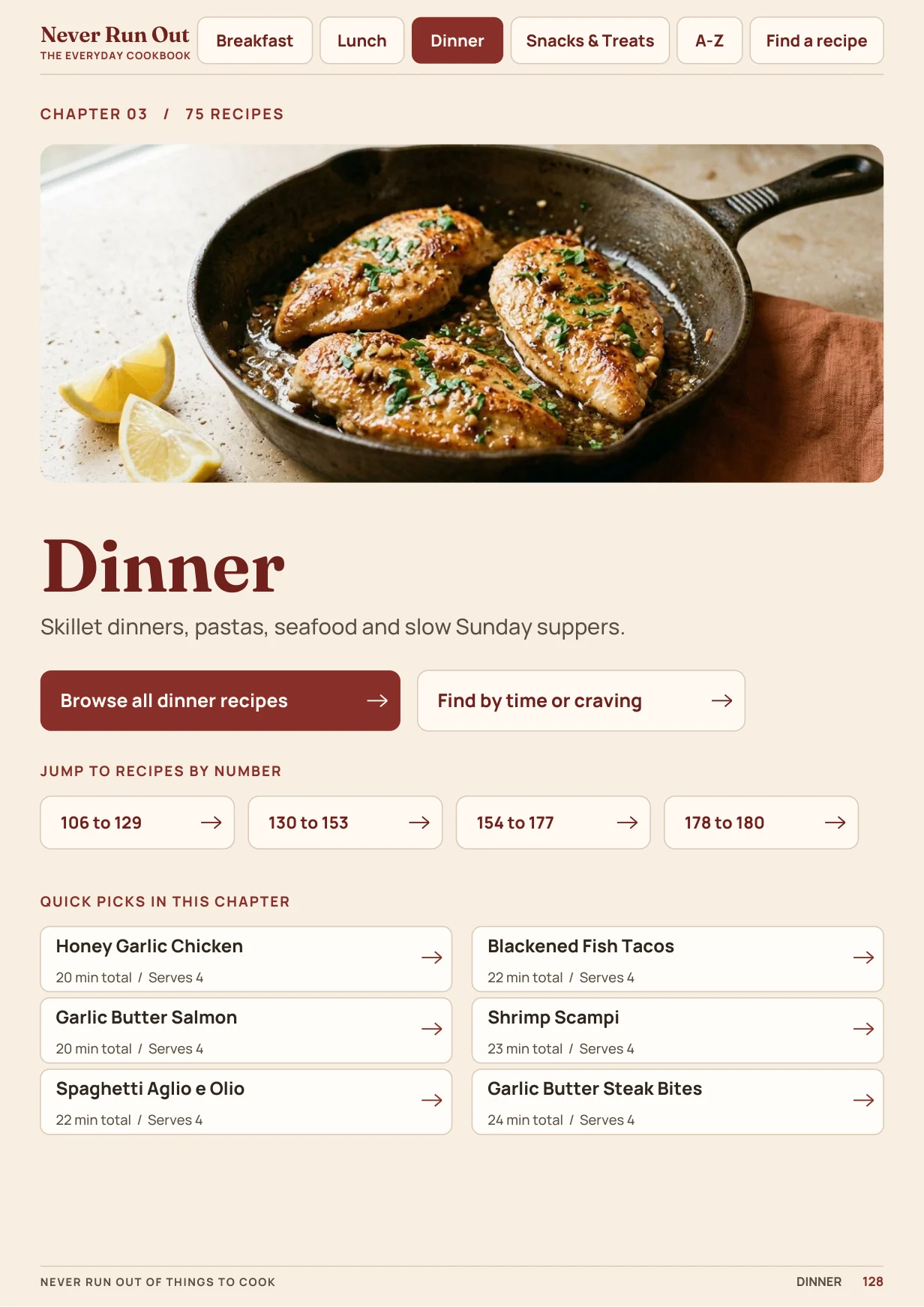
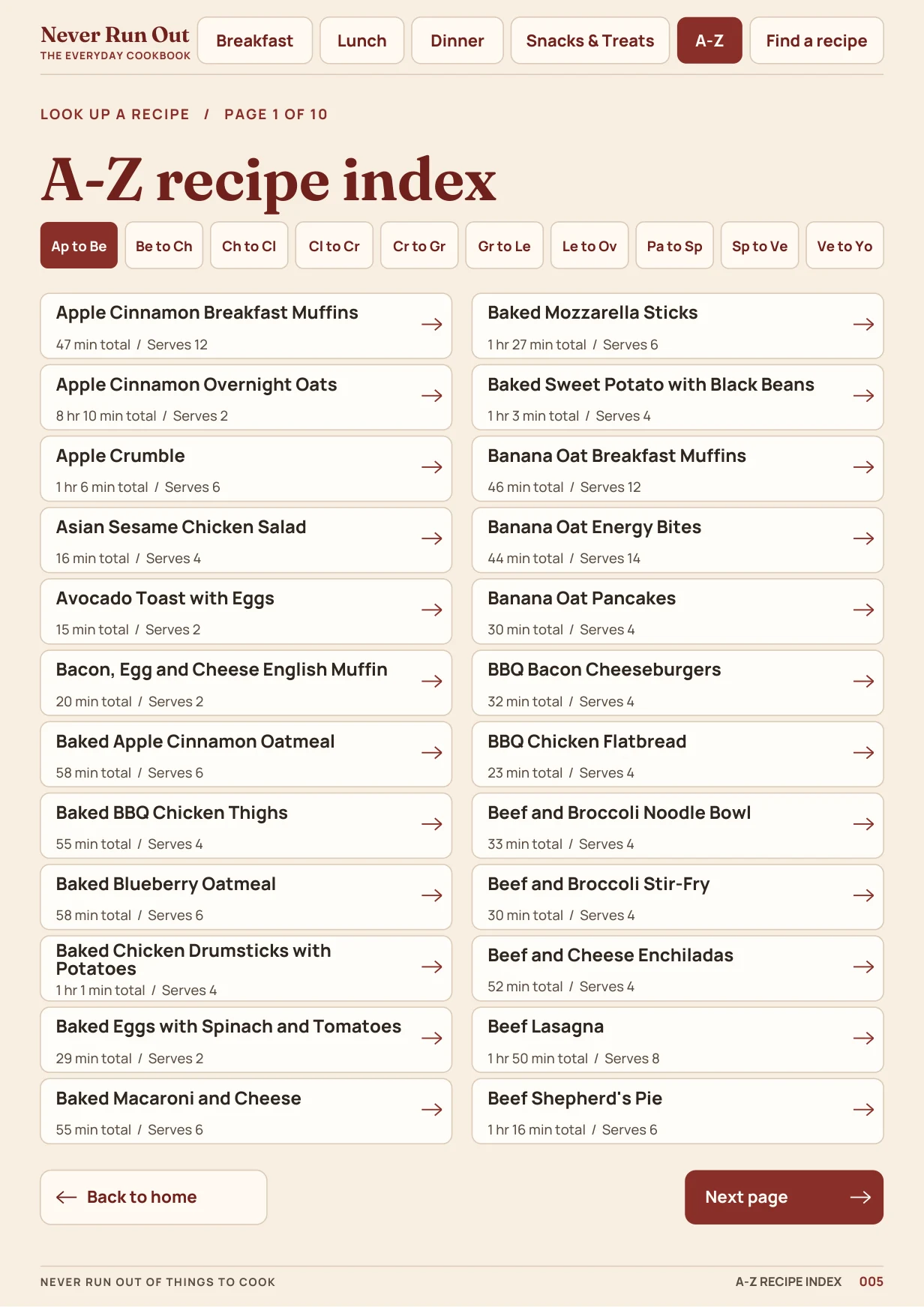
From the menu or the tabs along the top of a page, tap Breakfast, Lunch, Dinner, or Snacks & Treats. Open “Browse all” to see the chapter’s recipe list, then tap a title. If you already know the name, use A–Z instead.
Tap Find a recipe at the top of the page. Pick a meal, set a total-time limit, then choose a craving or ingredient, or tap Show all if you’re open to anything. The options change with the meal and time you pick.
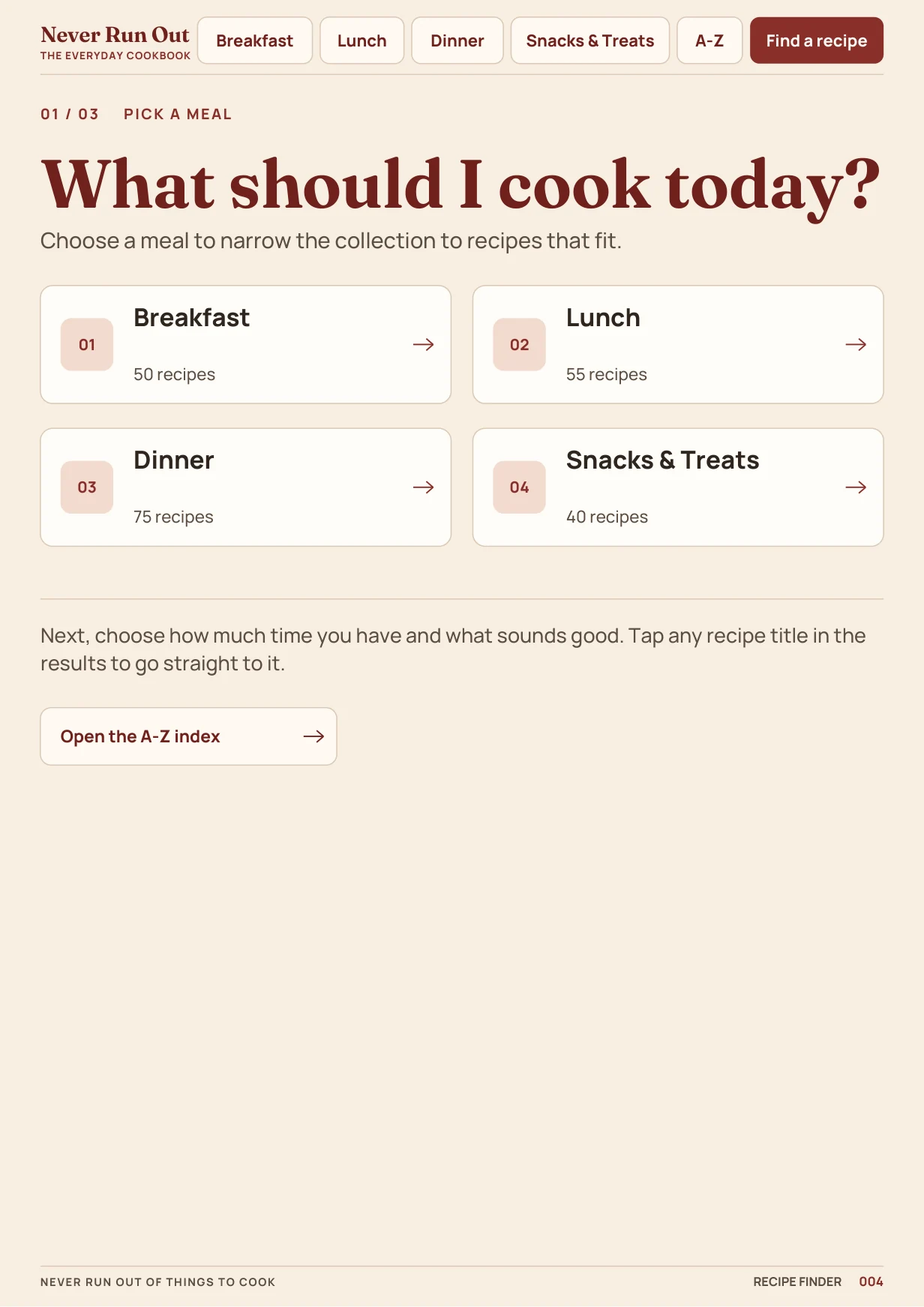
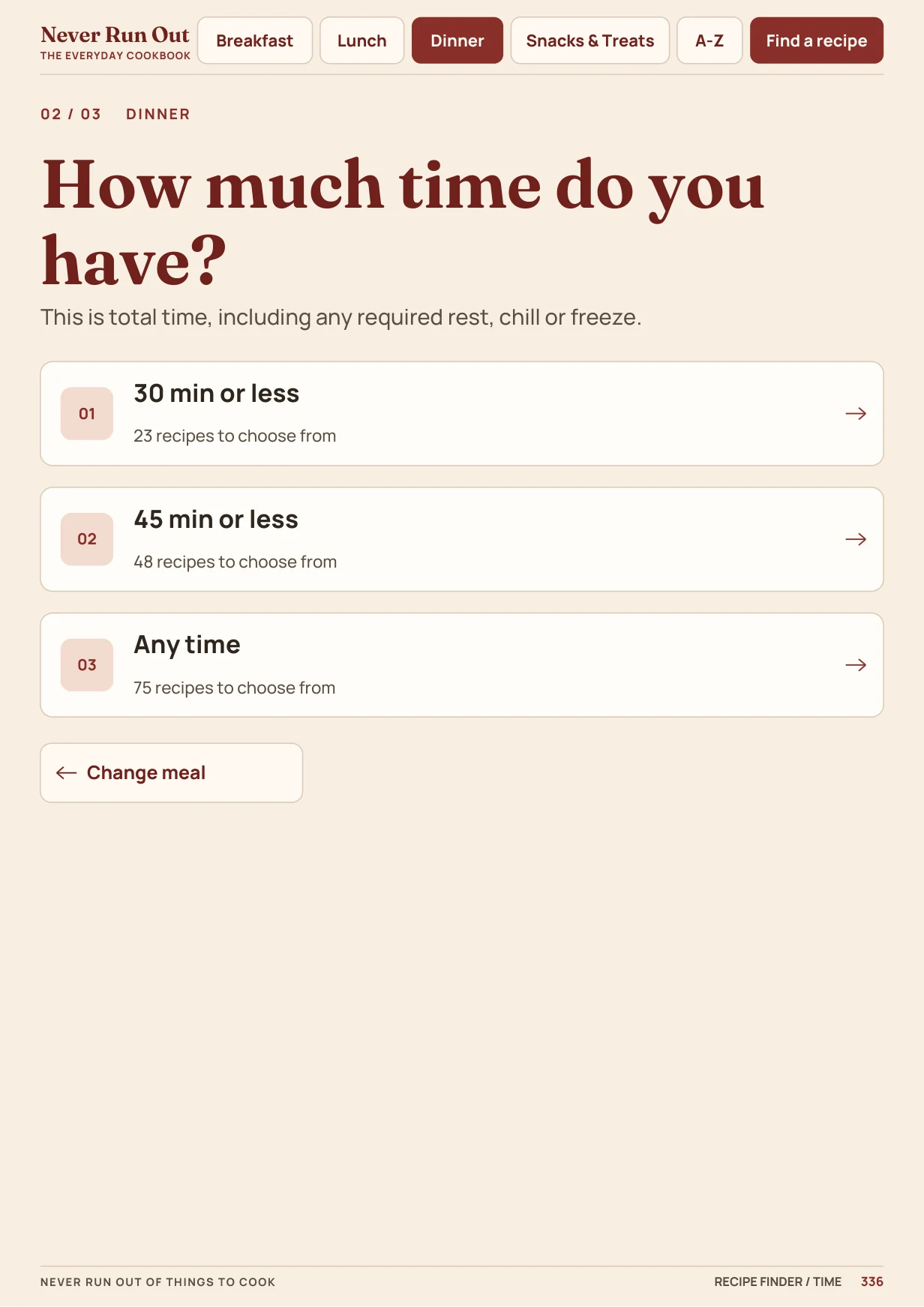
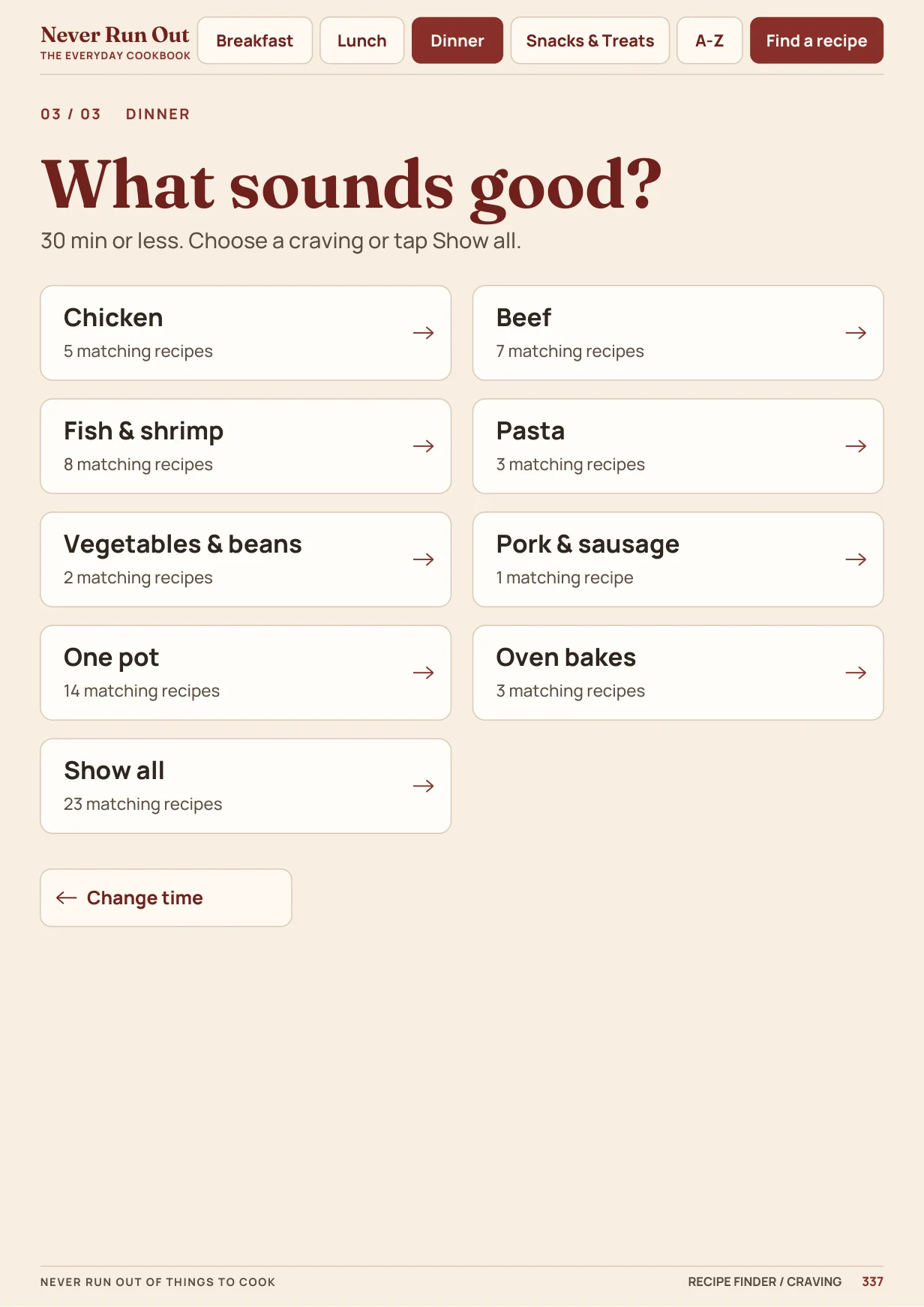
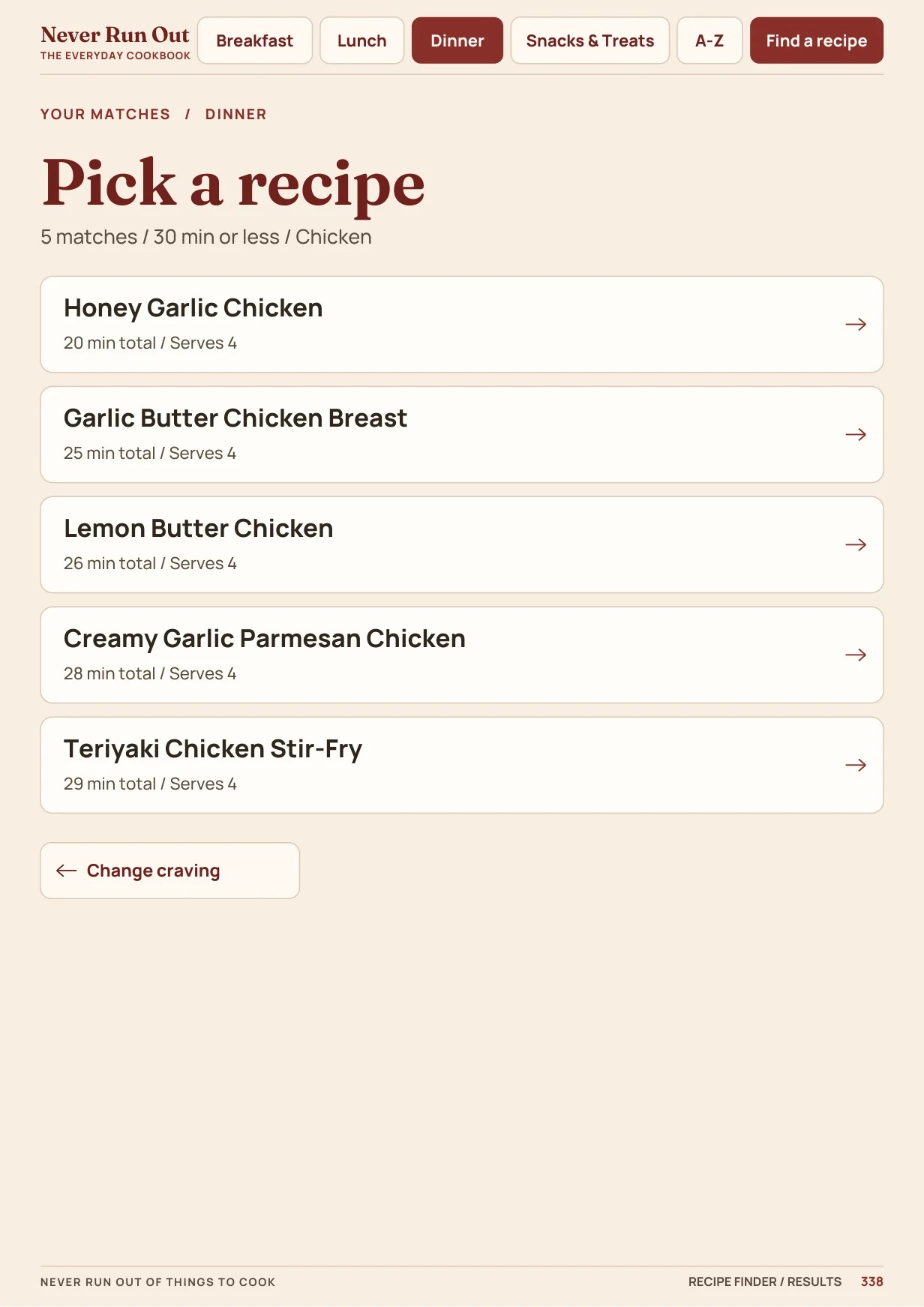
Your time limit includes required rest, chill, or freeze time. The finder uses linked pages, not a live search.
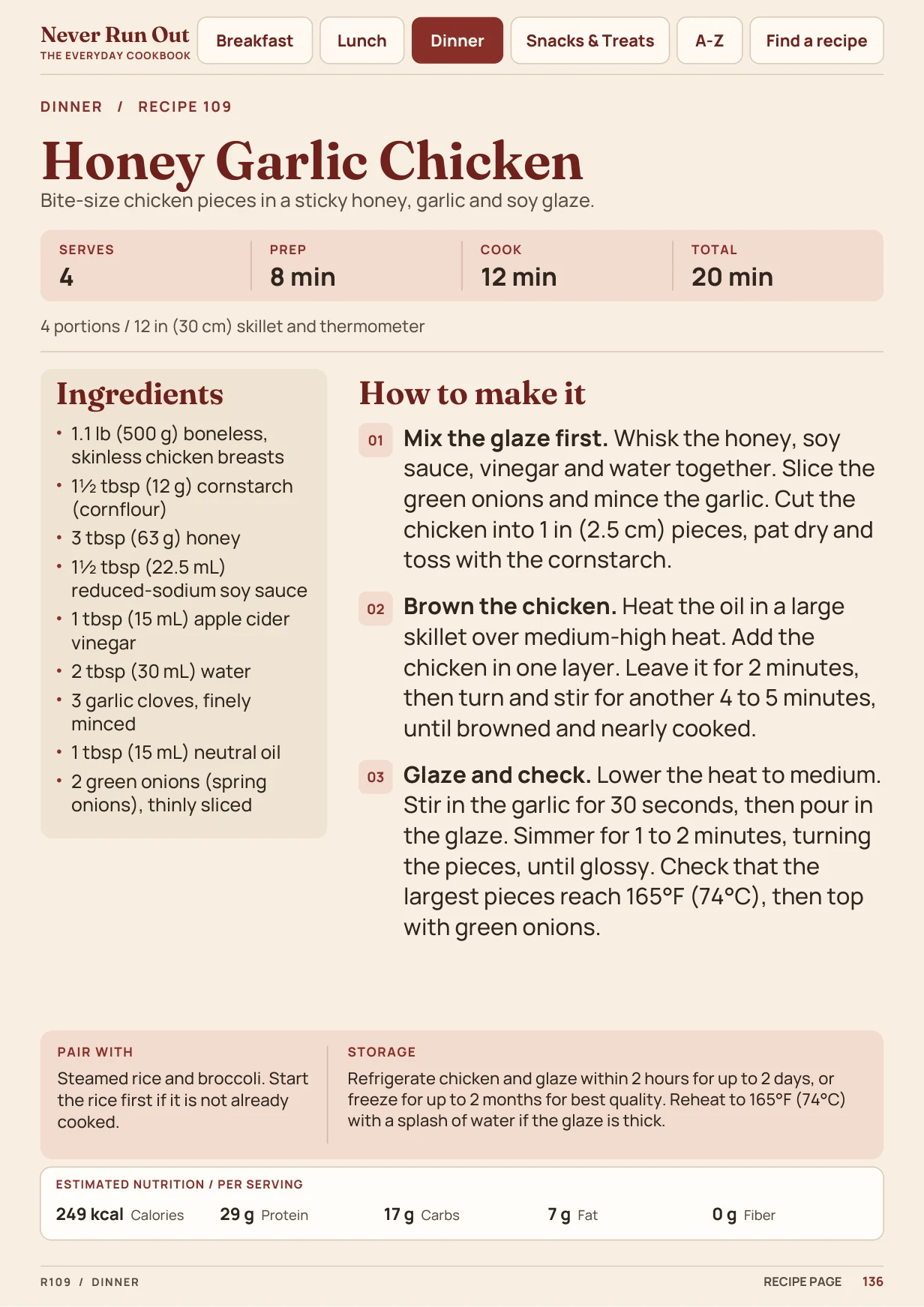
Tap a result such as Honey Garlic Chicken to open the complete recipe. Use the ingredients and instructions on that page. To start again, tap the Never Run Out wordmark at the top left to return to the menu, or tap Find a recipe to choose something else.
We recommend the free Adobe Acrobat Reader. Some email, browser, and social app previews display the pages but don’t follow internal links.
Save the PDF to Files or Downloads. Open Acrobat Reader, find your saved file, and try a chapter tab. Pinch to zoom into one column when reading a recipe.
Find the PDF in Downloads. Right-click it, choose Open with, then select Acrobat Reader or another reader that supports internal links.
On any device, save a local copy before going offline. If a link won’t open, try the downloaded full PDF in Acrobat Reader rather than the embedded preview.
THE RECIPE LIBRARY
220 easy recipes. One place to find them.